Showing posts with label week 11. Show all posts

Tuesday, December 8, 2020

Beta

 Beta


This is my game development final step .I nearly finished the game project, and this project has been a great learning experience for me. My game idea is a little bit different from my original game idea, but I learned a few important coding methods, which helped me to implement my game idea. As my game design vision was a little bit too ambitious, that's why I decided to simplify it, and to design a game which will be more comprehend for  a Unity 3D game beginner.
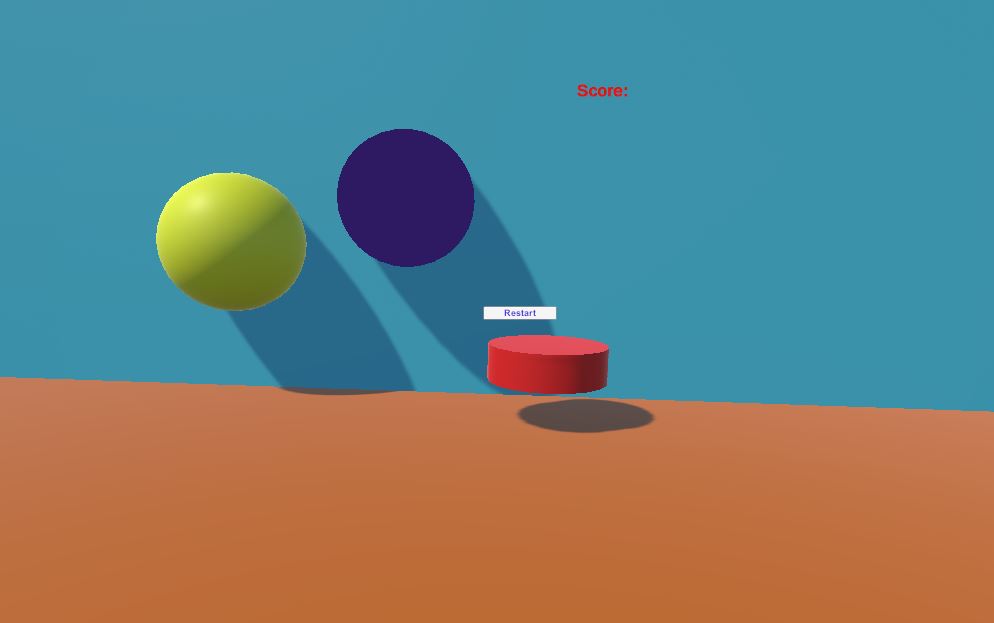


My game is kicking the red enemies away from the purple player. And the yellow balls are the powerup balls for the player. Extra power.


i also learned how to add text, buttons on the Unity. So, I created score and game over buttons, also clickable restart button. So excited to create this game.


Game tasting video:

Images info: my own game screenshots:

Music:https://www.youtube.com/watch?v=LaQj636PJh0&t=77s

Games Testing

 
Games Testing


The global gaming industry is expected to reach more than $300 billion by 2025 with the growth of revolutionary offerings, like cloud gaming and mobile gaming, according to a new report from Global Data.
it is vital for the gaming companies to not only focus on future trends but also to identify the user’s needs
Game testing is one of the crucial steps that help to ensure optimal performance and quality in the end product.
  •  errors
  • completeness
  • bugs
  •  bottlenecks
  •  inconsistencies
  • coherence 


 Major Risks in Game Testing

  • If the game doesn’t create a compelling experience for the niche audience
  • If the fun factor missing in the games
  • The game doesn’t include a player-centric design
  • If the Game is not unique, fast-paced or competitive
  • The gaming app fails because of broken features, poor video, technical issues, bad music sound, critical bugs, etc.
  • The game should have easy to use features and visual design and the game-play
Game testing objectives is to discover and document any errors in the software- we called them bugs.
The game testing method aims to detect the bugs and retain documentation of the software products. 

1.Functionality Testing 
  • game asset integrity
  •  stability issues
  •  audio-visual issues
  •   game mechanic issues

2.Combinatorial Testing
  • effectiveness of test execution
  •  quality
  •  phase containment
  •  cost

3. Ad Hoc Testing

  • Pair testing
  • Buddy testing
  •  Monkey testing

4. Compatibility Testing

  •  both mobile and PC games
  • varied screen sizes of different handsets


5. Clean Room and Tree Testing

  •  the consistency as well as reliability of the gaming software
  • to produce a product with negligible errors


6. Regression testing

  • re-checked to analyze the working of the previous functions of the app works fine 
  • verify whether any changes have popped up any new bugs 
  • spot bugs at the primary stages of product development


7. Performance Testing

  • Graphic performance
  •  processor & memory constraints
  •  network connectivity
  • battery consumption
  •  response time


References:


Image Info:

Thursday, December 3, 2020

Unity Tutorial 10

 Unity Tutorial 10


In this tutorial I learned how to use interface, clicky mouse, keeping score and game over with restart button.
I found it interesting, day by day, week by week I am trying to improve my skills in Unity. This tutorial is very useful, as you are repeating all the methods in C# script, which is good, you are getting more experience and more skills.
Adding text buttons in the game so excited for me, as I got a lot of ideas and  I am going to use some of them in my own game. This is very useful tutorial for me.

Image info-Unity Tutorial 09-my own


Reading 11

 Reading 11 This week's task is to design a user testing experience. And I chose H5P website to create Q&A. Answering the questions ...